
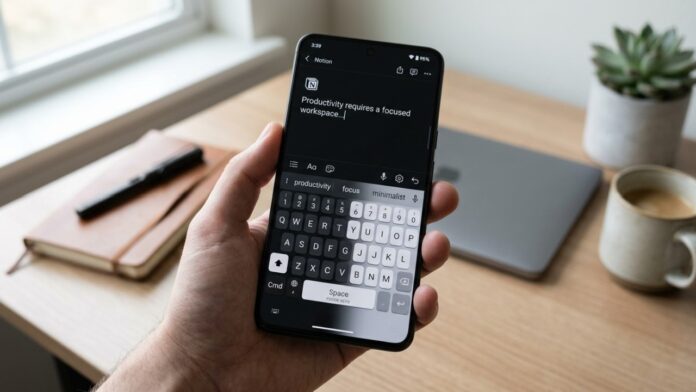
Typing sits at the center of modern work. Emails, notes, planning documents, research, and messaging all rely on a keyboard interface. Small design changes in that interface can noticeably affect how quickly ideas move from mind to screen.
Many people focus on software tools for productivity yet overlook the keyboard layout and theme they interact with all day. Colors, spacing, predictive input, and layout structure shape how comfortable typing feels over long sessions.
A thoughtful keyboard setup helps reduce mistakes, keeps attention on the message instead of the interface, and makes repetitive tasks smoother. The sections below outline practical keyboard theme and layout ideas that improve daily productivity while keeping the typing experience clean and efficient.
Why keyboard themes influence productivity
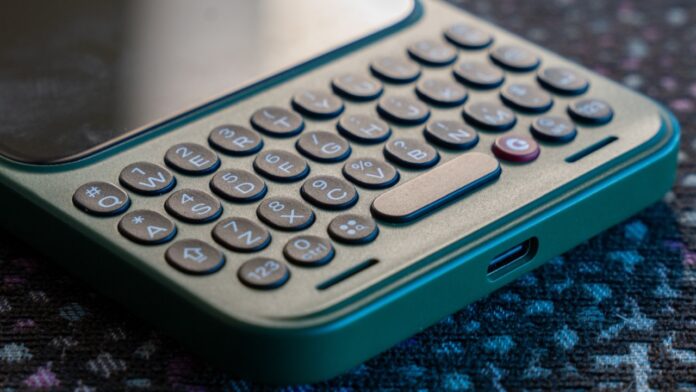
Visual design has a subtle effect on how quickly users read keys and interpret suggestions. A cluttered theme increases cognitive load, while a clean theme keeps attention focused on the text being written.
When a keyboard looks calm and readable, fingers move more confidently. That small boost in comfort adds up during long writing sessions or fast message replies.
A productive keyboard theme typically includes the following characteristics:
- High contrast between keys and background to reduce visual strain
- Clear key labels that remain readable in bright and dim lighting
- Balanced spacing between keys to prevent accidental taps
- Minimal visual distractions such as unnecessary gradients or animations
Design simplicity supports speed. When visual noise disappears, typing becomes a more natural extension of thinking.
Smart predictive keyboards that support faster typing
Predictive typing engines have improved dramatically over the last few years. Advanced keyboards analyze language patterns and suggest complete words or phrases as a user types.
Good prediction systems shorten typing time without interrupting thought flow. Instead of manually entering every letter, users confirm suggestions and move forward quickly.
One platform many users appreciate is Sogou. The system focuses heavily on predictive accuracy and smooth typing performance. Words are coming out much faster with a significantly lower number of errors and the need for later corrections. AI also learns your way of communication and stays true to how you create messages.
Reliable prediction turns typing into a continuous process rather than a sequence of corrections.
Minimal light themes for daytime work
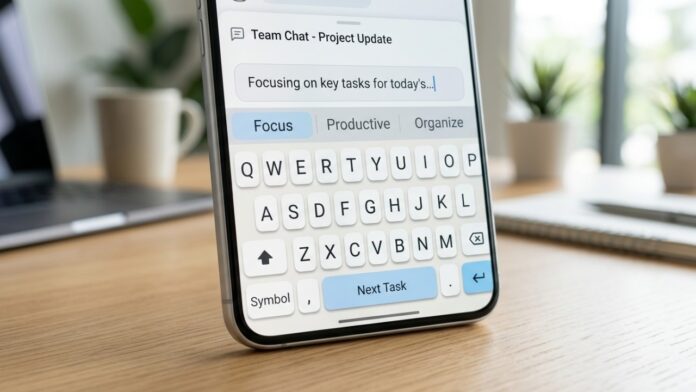
Bright environments often benefit from light keyboard themes. A light background with darker text creates clear visibility when working under office lighting or daylight.
Minimal light themes reduce distraction and support quick key recognition. A balanced palette helps prevent visual fatigue when switching between documents, spreadsheets, and messaging apps.
Common characteristics of effective light keyboard themes include:
- White or soft gray background that keeps the interface neutral
- Dark key labels that remain readable in bright environments
- Slight key shadows that define boundaries without clutter
- Subtle highlight color for active suggestions or corrections
Many productivity focused users prefer light themes because they resemble the visual clarity of printed text.
Dark keyboard themes for long typing sessions
Dark themes have gained popularity because they reduce glare during extended screen time. Lower brightness levels can help keep the eyes comfortable during evening work or long research sessions.
A well designed dark keyboard theme avoids heavy contrast that strains the eyes. Instead, it uses soft contrast with readable labels.
Useful design elements often include the following:
- Charcoal or deep gray background rather than pure black
- Light gray or soft white text that remains clear but not harsh
- Gentle highlight colors for suggestions and predictive text
Dark themes are particularly effective when working in dim rooms, late night writing sessions, or environments where bright screens feel tiring.
Compact keyboard layouts for faster thumb movement
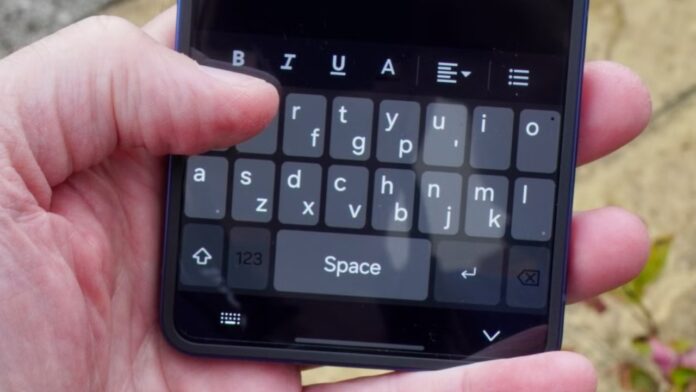
Layout structure plays a major role in typing efficiency, especially on mobile devices. Compact layouts reduce the distance thumbs travel between keys, allowing faster input.
Large keyboards may feel comfortable visually but can slow typing when fingers constantly stretch across the screen.
Several layout adjustments can improve efficiency:
- Slightly reduced key width that keeps characters close together
- Center aligned space bar that anchors thumb positioning
- Easy access punctuation keys placed near the main typing zone
- Reduced vertical spacing that keeps rows within quick reach
Compact layouts work well for messaging, note taking, and mobile editing where quick thumb movement matters.
Split keyboard layouts for ergonomic typing
Long typing sessions sometimes create wrist tension. Split layouts help solve this by separating the keyboard into two halves, each aligned with the natural position of the hands.
Ergonomic designs encourage relaxed hand posture and reduce repetitive movement. Productivity improves when physical strain decreases.
Benefits of split layouts include:
- Natural wrist positioning that prevents inward bending
- Reduced finger stretch when reaching outer keys
- Better comfort during long writing or coding sessions
- Clear visual grouping of keys for both hands
Writers, developers, and researchers who type for hours often find split keyboards easier on the body.
Color coded keyboard themes for task focus
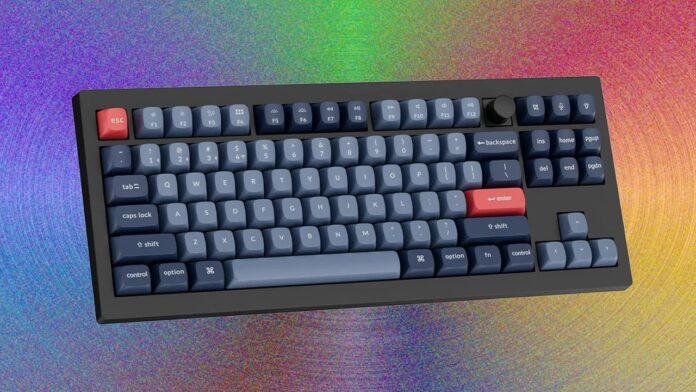
Color can guide attention in subtle ways. Some keyboard themes highlight important keys or suggestion areas using different colors.
Task oriented themes use color to indicate actions without overwhelming the interface. A thoughtful palette helps users recognize patterns quickly.
Color coded themes often emphasize several areas:
- Suggestion row highlighted with a calm accent color
- Special keys such as enter or delete marked with stronger contrast
- Predictive text shown in a slightly different shade for quick scanning
- Number row or symbol keys visually separated from letters
Small visual cues can shorten the time needed to locate keys during fast typing.
Customizable keyboard layouts for personal workflow
No single layout works perfectly for everyone. Custom keyboards allow users to rearrange elements based on their daily tasks.
Writers may prioritize punctuation, while analysts may prefer easy number access. Customization helps adapt the keyboard to real work habits rather than forcing habits to adapt to the keyboard.
Flexible keyboards often allow adjustments such as:
- Repositioning frequently used punctuation keys
- Adding a permanent number row for data entry
- Adjusting key size to match typing style
- Creating shortcuts for commonly typed phrases
Personal layouts transform the keyboard into a practical productivity tool instead of a fixed interface.
Building a keyboard environment that supports daily productivity
Small interface decisions shape how comfortably people interact with digital tools every day. A keyboard may appear simple, yet it sits at the center of communication, writing, and planning.
Clean visual themes reduce distractions. Thoughtful layouts reduce finger travel. Predictive typing tools shorten the path between ideas and written text. Combined together, these improvements create a smoother workflow.
Experimentation plays an important role. A layout that works perfectly for messaging may feel different during long writing sessions. Testing light themes, dark themes, compact layouts, and predictive keyboards helps identify what truly supports speed and comfort.
Once the right combination is found, typing becomes less mechanical and more fluid. Work moves forward faster because the interface quietly supports every keystroke.